
Android · Gran Turismo 7 telemetry
Your phone is the dash.
Backmarker reads the live telemetry Gran Turismo 7 sends over your Wi-Fi and turns your phone or tablet into a second screen: custom dashboards, live delta, fuel and lap analysis. No PC, no SimHub, no extra hardware.
What's inside
Everything for a practice session, from a live dashboard while you drive to lap analysis once you are done.
-
Live dashboard
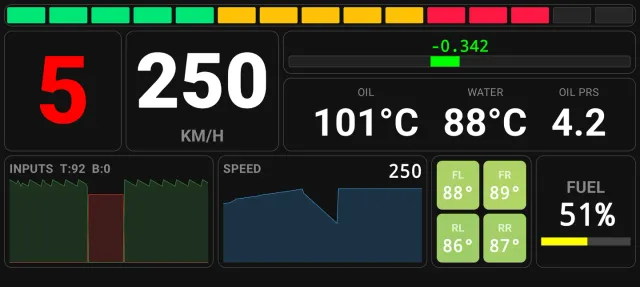
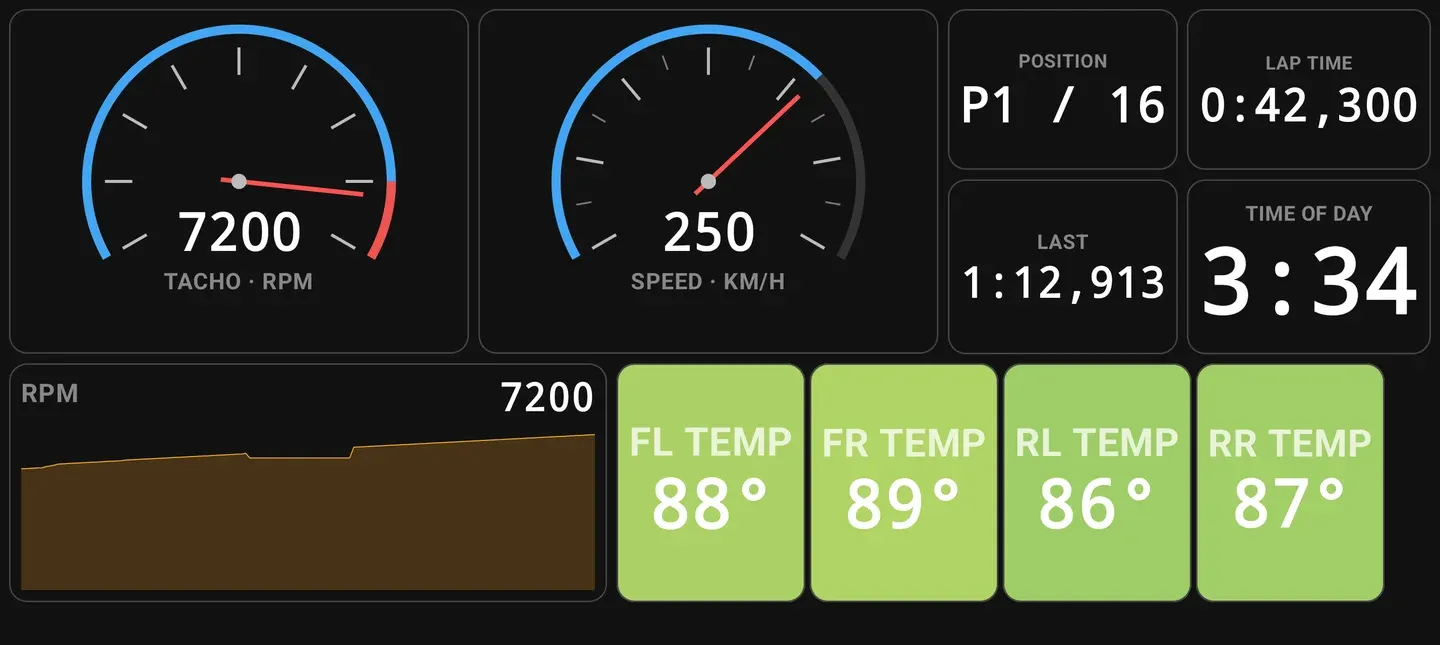
About 50 widgets: analog speedometer and tachometer, RPM bar and rev lights, gear, throttle and brake, tyre temperatures, telltales and live graphs. Fullscreen landscape for a mounted phone or tablet.
-
Build your own layout
Drag and resize every widget. Set colors, units, warning thresholds and borders per widget, with up to 10 dashboard pages and a guided layout tutorial.
-
Live delta timing
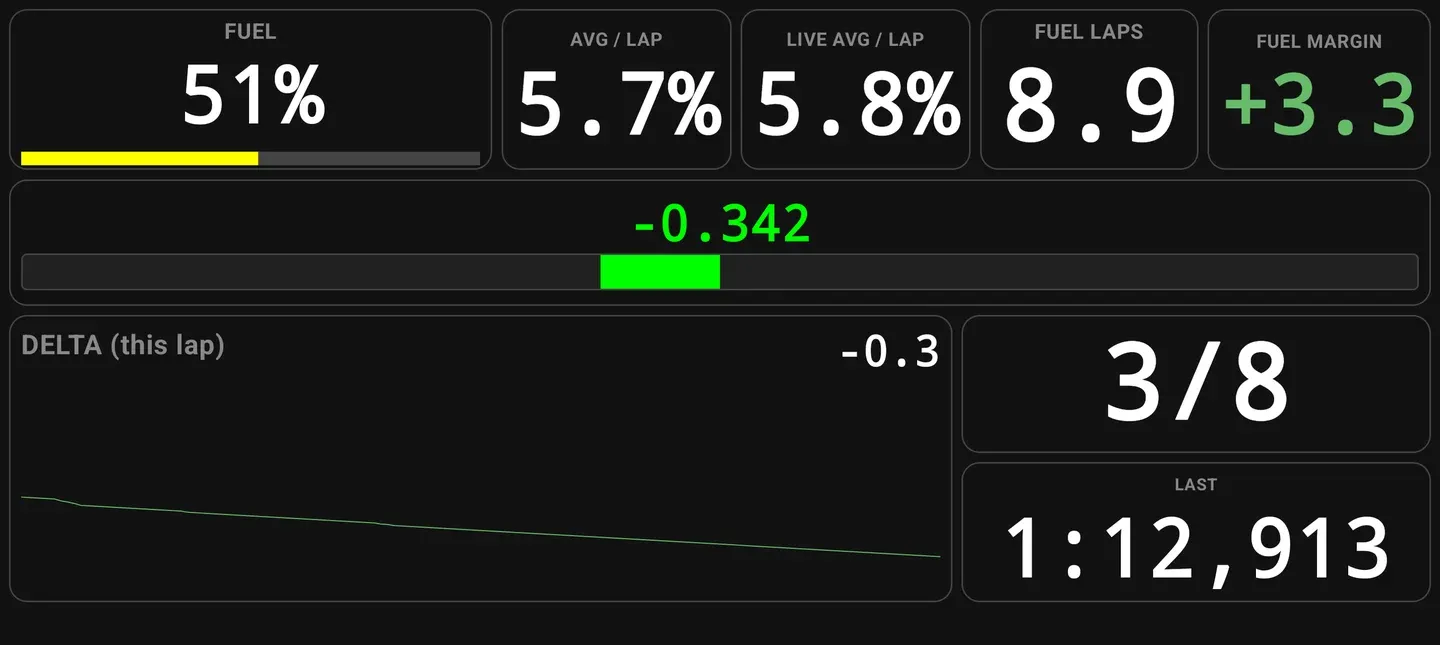
Pick a reference lap and watch a live delta bar as you drive. It is matched by position on track, not elapsed time.
-
Fuel calculator
Fuel per lap, live average, fuel laps remaining and fuel margin, with an early estimate from lap 2.
-
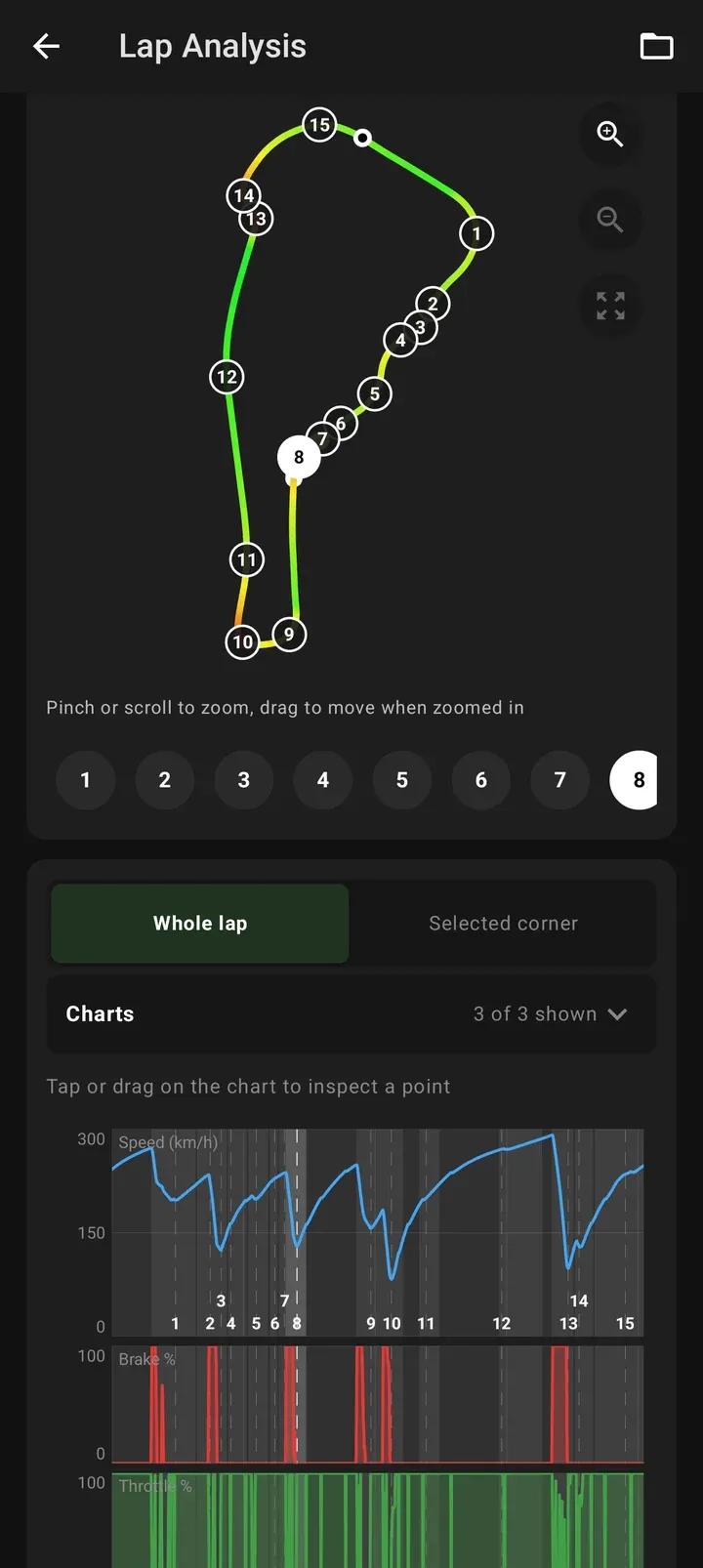
Lap analysis
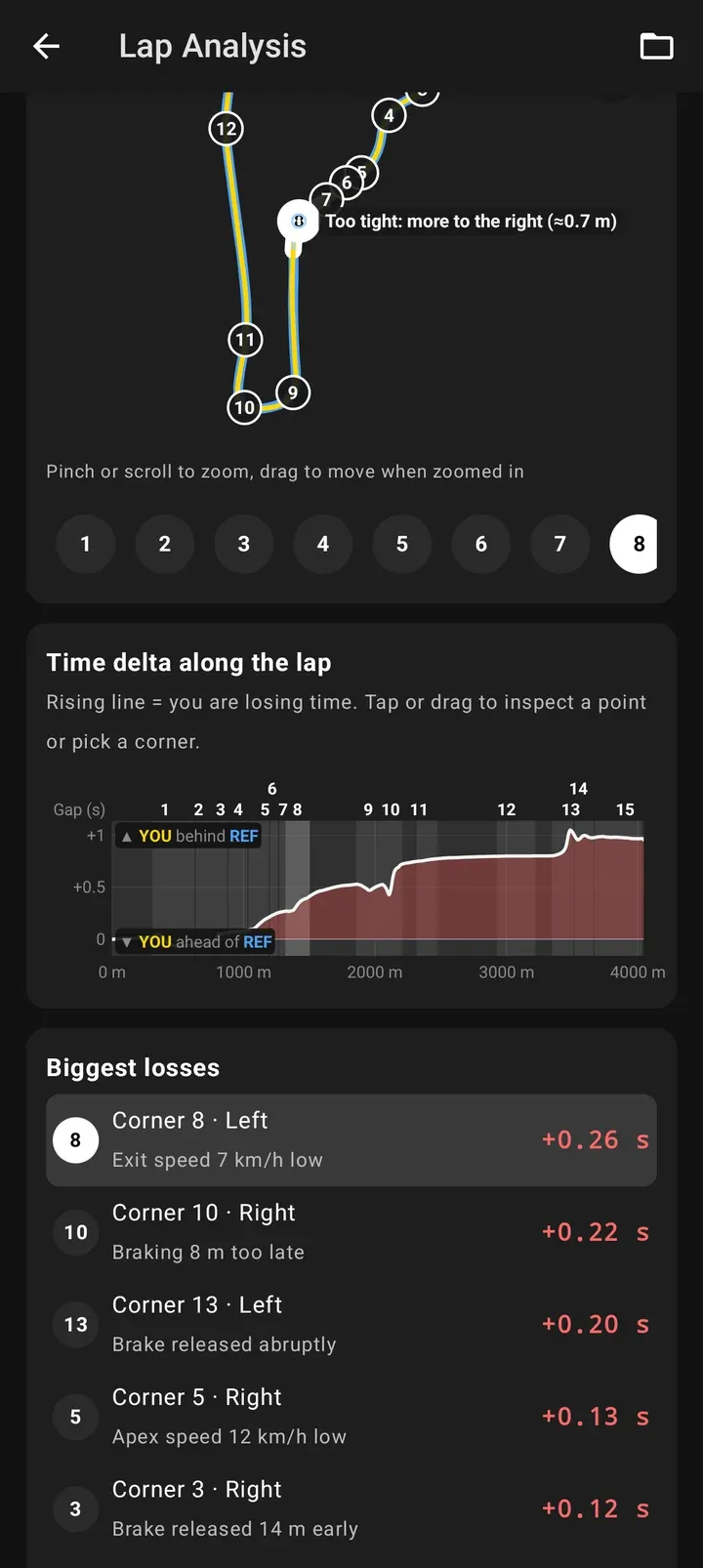
Track map, speed, brake and throttle charts against distance, a per-corner breakdown and a comparison with a reference lap. Ranked tips show where you lose time.
-
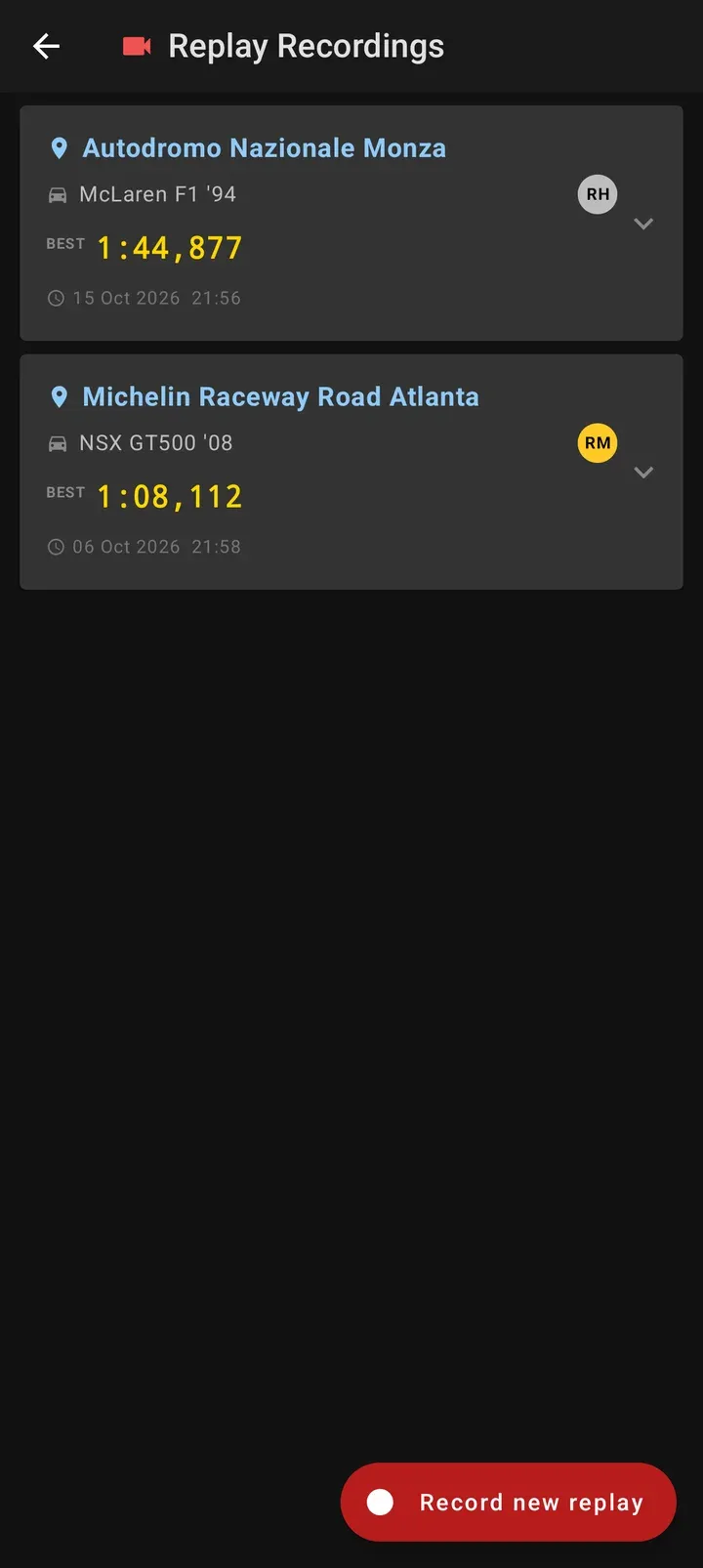
Replay telemetry
Record telemetry from in-game GT7 replays, then use one as your delta reference or open it in Lap Analysis.
-
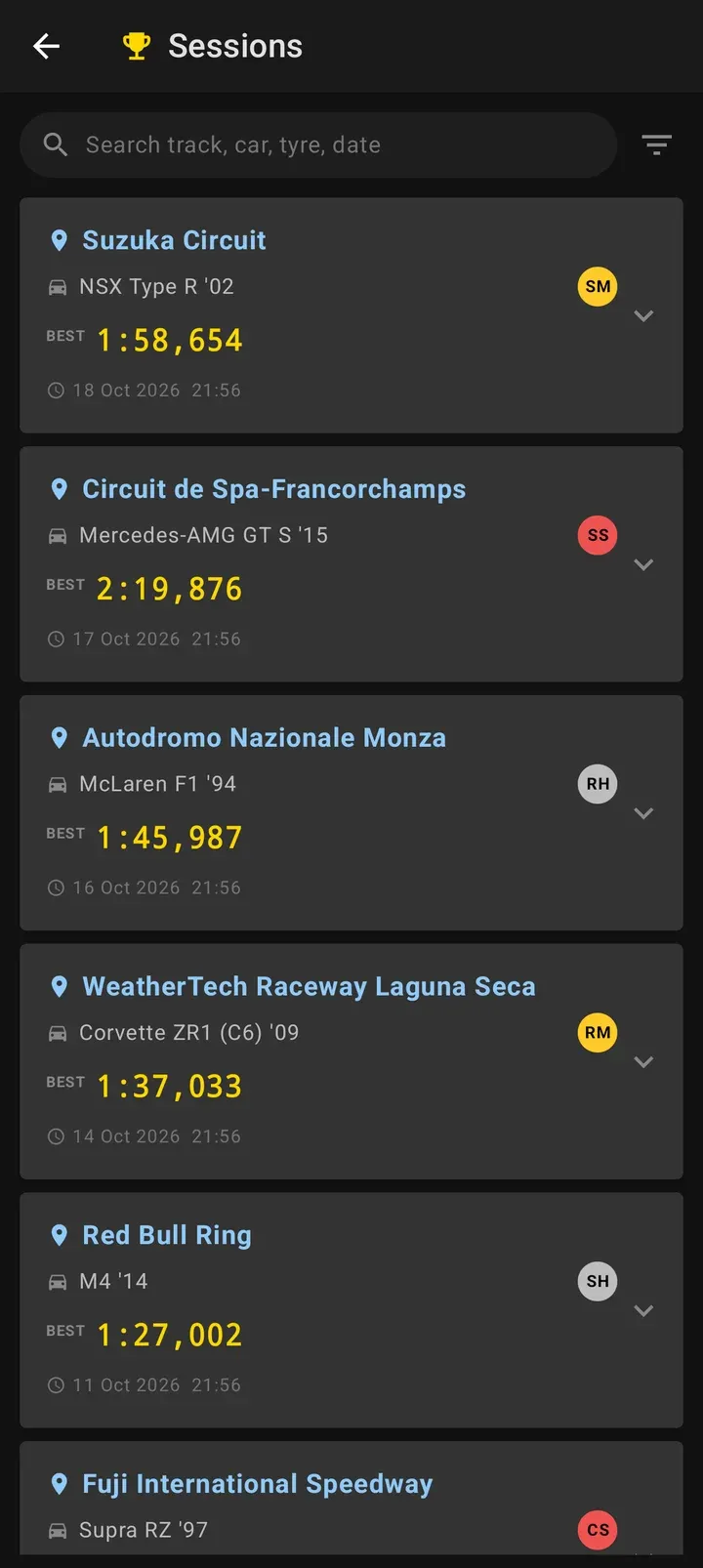
Session history
Every session and lap is saved automatically on your device. Search by track, car, tyre and date; sessions are named for you. Set storage limits to keep only the fastest lap or auto-delete old sessions.
-
Training mode
Braking training and input drills with target windows and audio cues.
How it works
-
Join the same Wi-Fi
Put your phone or tablet on the same local network as your PS4 or PS5 and start Gran Turismo 7.
-
Connect to your console
Enter the console's IP address, or let Backmarker find it. A setup tutorial walks you through it, and no in-game setting needs changing.
-
Drive
The dashboard goes live as soon as telemetry arrives. Every session and lap is saved on your device for lap analysis afterwards.
See it in action
Screenshots show demo data.
Questions
Is Backmarker affiliated with Sony or Polyphony Digital?
No. Backmarker is an unofficial companion app made by a fan. It is not affiliated with, endorsed by or associated with Sony Interactive Entertainment or Polyphony Digital. "Gran Turismo" and "PlayStation" are trademarks of their respective owners and are used only to describe compatibility.
Which console and network setup do I need?
Gran Turismo 7 on a PS4 or PS5, and your phone or tablet on the same local Wi-Fi network as the console. In the app you enter your console's IP address or let it find the console for you, and a setup tutorial walks you through it. There is no in-game setting to change. Guest networks and routers that isolate devices from each other can block local traffic.
Do I need a PC, SimHub or extra hardware?
No. Backmarker reads the telemetry Gran Turismo 7 sends over your Wi-Fi, so the phone or tablet is the whole dashboard.
Is Backmarker free?
Yes. There is no account, there are no ads and nothing is locked. If you like it, there is an optional one-time donation.
Where is my racing data stored?
Telemetry, sessions and laps are stored in a local database on your device and are never uploaded. The app connects to the internet only for Google services: Firebase crash reports and anonymous usage statistics, Google Play Billing for the optional donation, and Google Play In-App Updates. The Privacy Policy has the details.
Which devices does it run on?
Android 9 or newer, on phones and tablets. Backmarker is available from Google Play.
More in the Privacy Policy.